Product Updates


A CRM report is only as good as what goes into it. If your CRM only ever sees the lead record without the conversation, your team makes decisions on half the picture. Our July product updates fix that.
Here's what we did and what each update means for your team.
Give Your CRM the Full Story, Not Just the Lead
Your CRM is a huge driver for engagement decisions. If it only holds the lead record, you’re deciding who to call and what to say without knowing what that student already told you by text or on the phone.
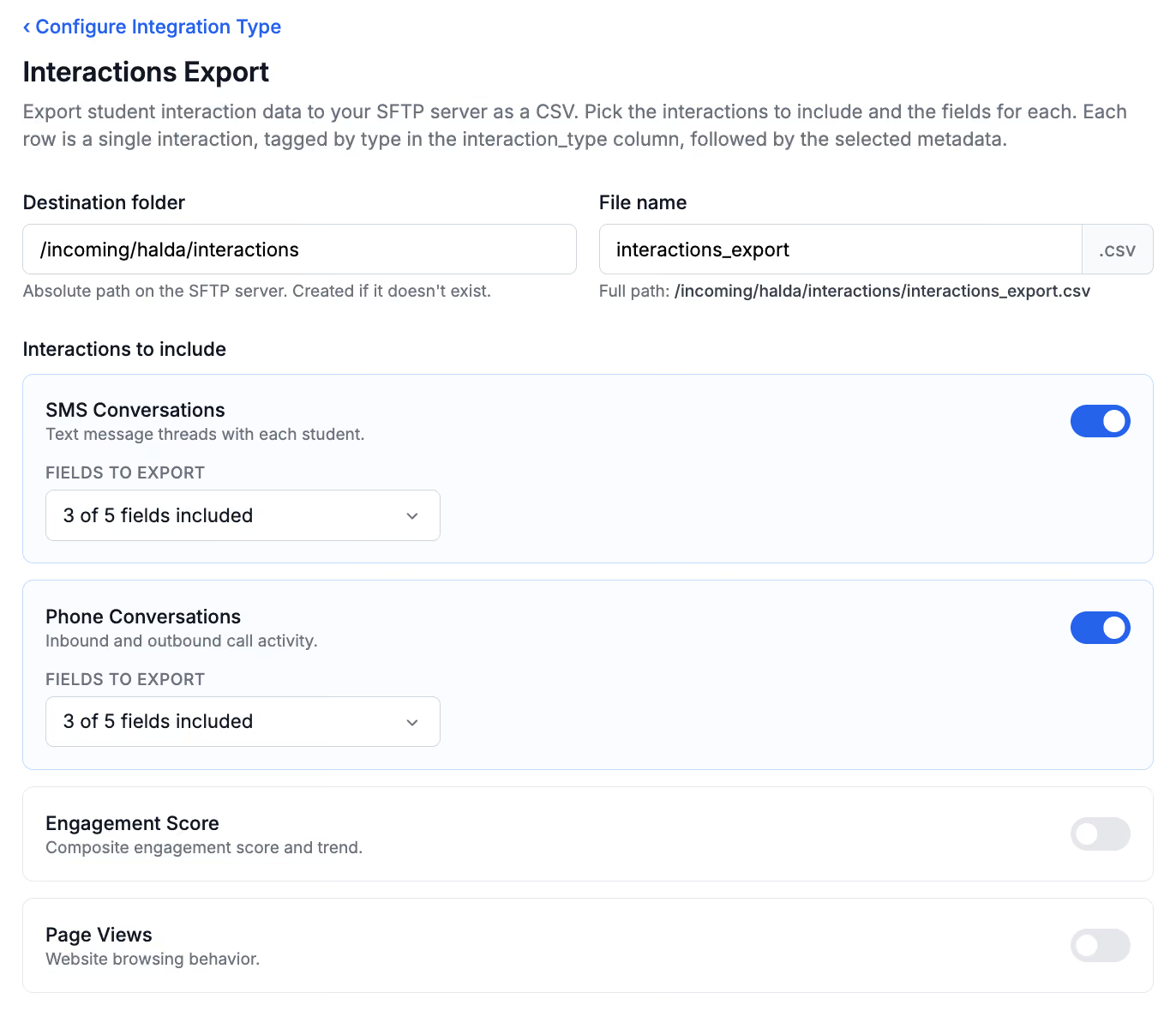
Interactions Export is a new SFTP integration type that delivers SMS threads, phone activity, engagement score, and page view data straight to your CRM, alongside the lead record it already gets. You pick the destination folder, the file name, which interaction types to include and which fields travel with each one.
Every row covers one student and one interaction type, so a counselor opening the file sees exactly what happened without reverse-engineering a wall of columns. The result is outreach that responds to what a student said, not just to the fact that they filled out a form.
Stop Finding Out About Broken Integrations After the Fact
If an export failure sits unnoticed for a week , that’s a week of students missing from your CRM, and a week of your team following up on incomplete data without knowing it. Plenty of teams only find out when a colleague asks why a student isn’t showing up somewhere.
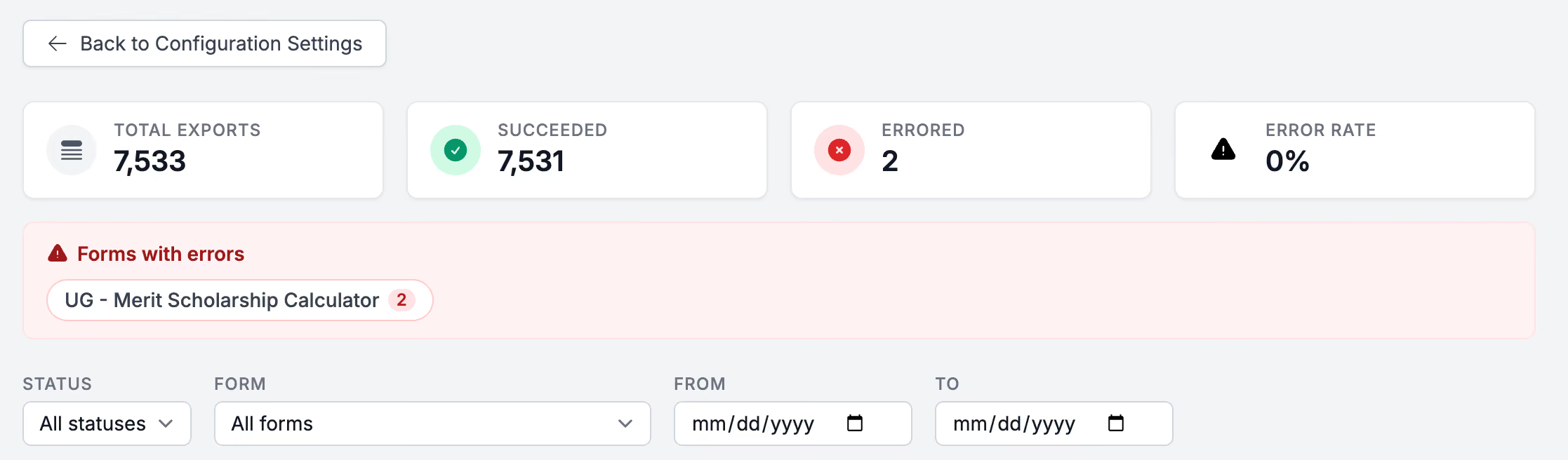
SFTP, Salesforce, and webhook exports now share one export history view that opens with real numbers instead of a blank list:
- A stats bar with total exports, successes, errors and an error rate, so you can see the health of an integration before reading a single row.
- A list of which forms are throwing errors, so you know where to look first.
- Filters for status, form and date range that the stats bar responds to.
No more auditing exports by hand to catch a failure.
Let Counselors Answer the Question a Student Already Asked
A student who asks your AI Search a real question has told you exactly what's on their mind, whether that's financial aid, a deadline or a specific program. If that answer only lives in the AI Search tool, your counselor has to go dig for it before a call, or worse, ask the student to repeat themselves.
A student’s most recent AI Search response is now available as a system field. Map it into Salesforce or an SFTP export like any other field and your counselors can see what a student asked and how Halda answered right on the record. This is live on accounts with AI Search enabled.
Know Why a Student Is In a Segment Without Leaving the Record
Segments tell your team who to prioritize. But a segment that only lives in an analytics dashboard doesn't help a counselor who has a student on the phone right now and needs to know why they're being treated as a merit scholarship prospect.
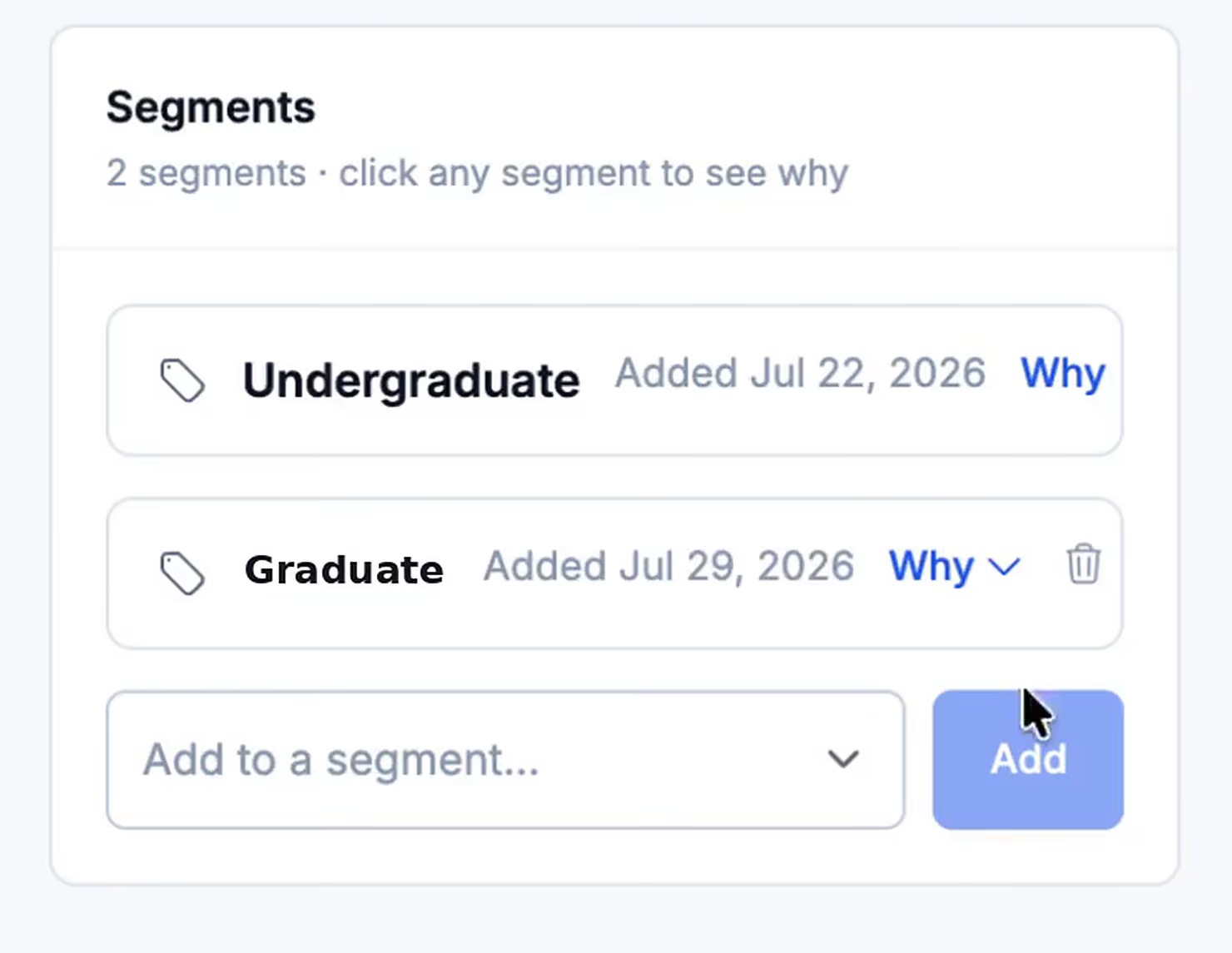
Open any student record and you'll find a Segments section listing every segment that student belongs to and when they joined it. Expand one and Halda explains why: a field value, a form submission or a manual add by someone on your team. Add a student to a segment or pull them out without leaving the record. Memberships get re-evaluated every night so the list never gets stale.
Segment filtering on Conversion Analytics got faster too. A filtered view that used to take more than 20 seconds to load on large accounts now returns in about seven, so you can get some time back when every second counts.
Match Your Launcher to How Your Institution Talks to Students
If your hub's primary path to conversion is a button students have to notice and click, a site with a busy layout or a heavy mobile audience is leaving inquiries on the table.
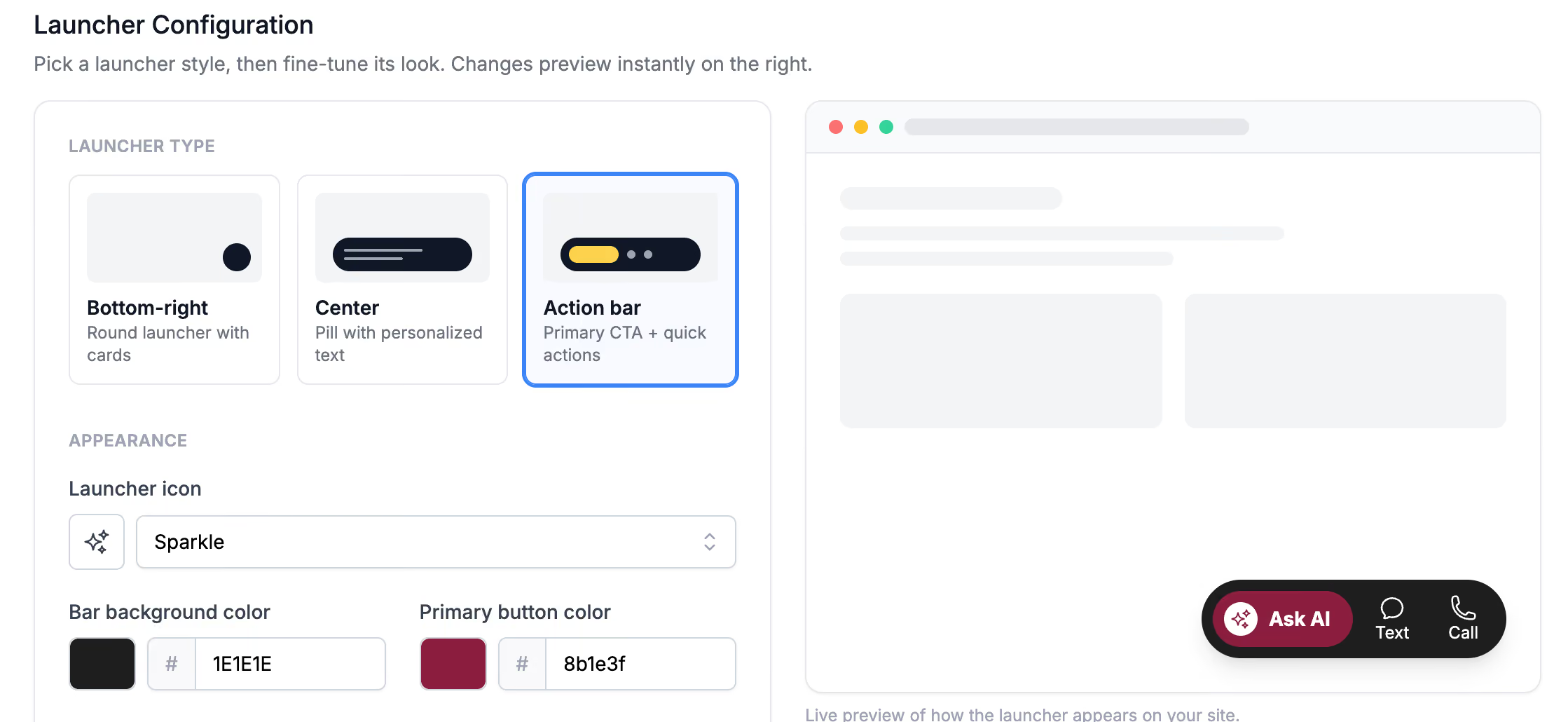
Action Bar is a new launcher type: a dark bar across the page with a primary call to action plus optional Text and Call quick actions that drop students straight into the right screen in your hub. Quick actions hide themselves when the matching channel is turned off for your account, so you never advertise a phone option you don't run.
The launcher config panel was rebuilt around it, with selectable type cards, mini previews, a live preview on a mock site frame, clickable color swatches and an icon dropdown, so your marketing team can match the launcher to the site instead of accepting a default. "Medallion" is now called "Launcher" everywhere in the admin, matching what everyone was already calling it.
Smaller Fixes Worth Knowing
- Campaign send times are now computed on the backend instead of estimated in the browser, so the next send time your team sees on a campaign list is the one that happens.
- URLs in student record columns render as clickable links that open in a new tab, and long values truncate with the full text on hover, so a wide cell no longer pushes your actions column off screen.
- Salesforce exports now respect your mapped option value when a student's answer differs only by a dash variant or stray whitespace, so an en dash where your template expects a hyphen no longer breaks your reporting without you noticing.
Put July’s Updates to Work
Every change this month solves the same problem: a team that can't see the big picture makes worse decisions faster. Exports now carry the conversation, integration pages own their failures and student records carry the context your team needs on every call. Halda learns from every interaction, and this month, more of what it learns makes it into your CRM where your team can act on it.